Blur, Mosaic or Opaque Cover?
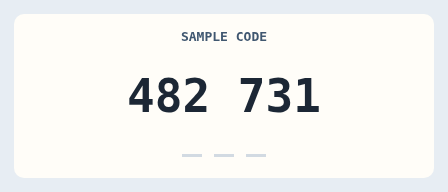
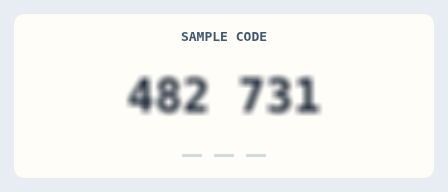
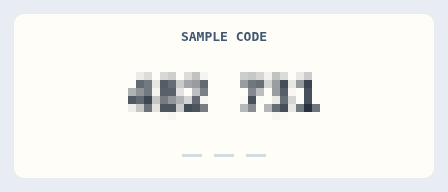
Use a solid rectangle with room around the edges for text you need to hide, such as a phone number, address, or order number. Compare three edits of the same fictional code.
Compare the same code
Each PNG was saved from GarimPic with the same area covered. Blur uses strength 4, and mosaic uses 8. Select an image to view it at full size.

Which cover should you use?
Blur softens edges. Mosaic groups pixels into blocks. Both can make a background less distracting. Large or high-contrast text can still reveal its length, outlines, or individual characters.
To hide the text, choose “Opaque” in the editor and extend the cover past the characters. Check the corners if you use an oval or a rounded shape. You can also crop out anything you do not need to share.
Reopen the saved file
Identify the copy you are about to send, open it, and zoom in. Check the edges of the cover and look for the same details in quoted messages, notifications, or other photos in the set.